
Discount codes
If you want to give those registering and paying the option to offer special products or prices that only a certain group should have access to, you can create a discount code that you give to that group. Here's how:
Discount code type – Selected products:
- Create a product / products that only apply to those who enter the code, and set the correct price.
- Click the eye icon all the way to the right of the product line you created, then click Save. The product is now hidden from those without the discount code.
- Go to the Discount codes tab, create a new discount code, and give the code a name you'll recognize.
- Select / check the product you created and hid, which you want to offer to those who receive the code.
- Click "create" code.
If you now preview your invitation, you'll see that everyone can enter the code you created at the very bottom of the front of the invitation page.
Note: The "Selected products" discount code type is the old discount code model in Superinvite. We recommend using the "Value discount" type if it works for you.
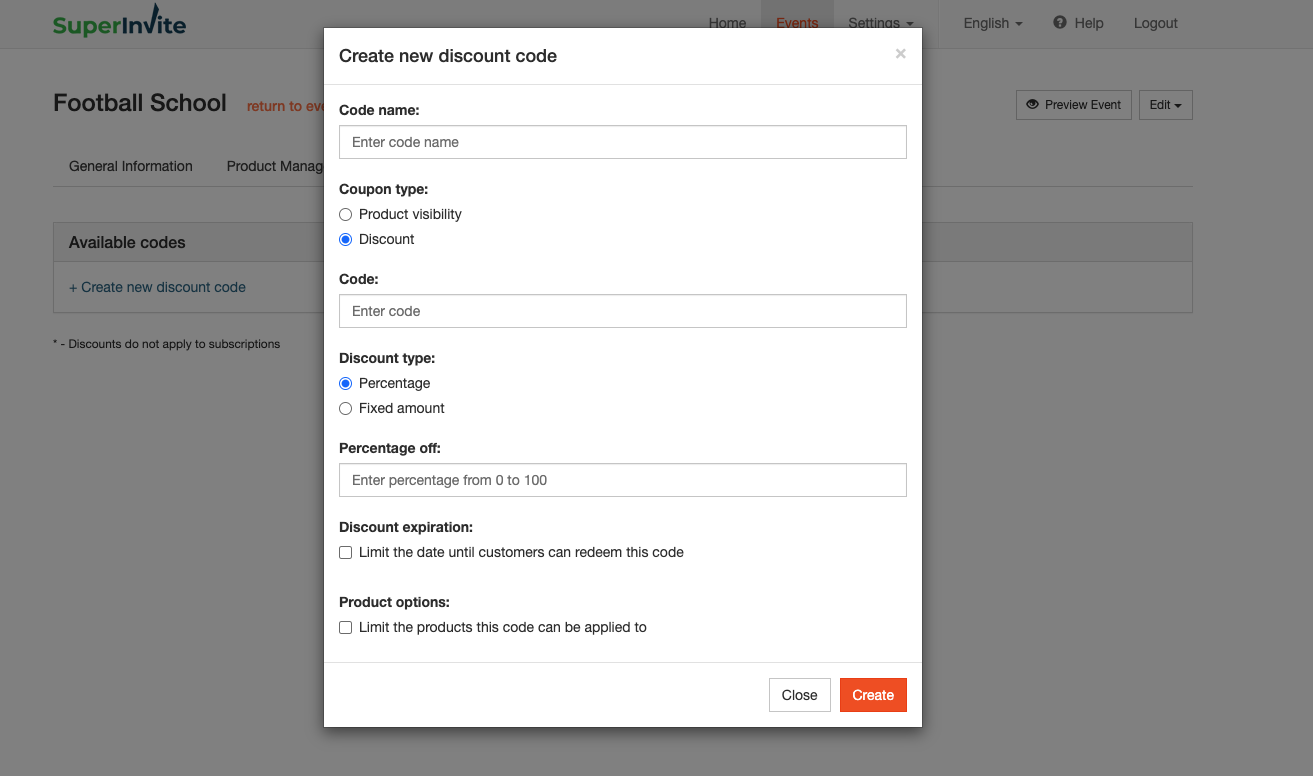
Discount code type – Value discount:
- Enter the desired code that participants enter to get the discount you want to give.
- Choose whether it should be a fixed-amount discount or a percentage discount.
- If the code has an expiration date, enter it (optional).
- Finally, choose which products should be covered by the discount code being entered.
- Click "Create code".
If you now preview your invitation, you'll see that everyone can enter the code you created at the very bottom of the front of the invitation page.
Note: If you've categorized your products, you must also select the parent category when choosing from the list.