
General information
Under this tab you have an overview and can edit basic information about the invitation, such as description, practical information, start date, end date, etc. Most of the fields here are the ones you set up when you create a new invitation, but in addition you have access to the following functions under general information, once it has been set up:
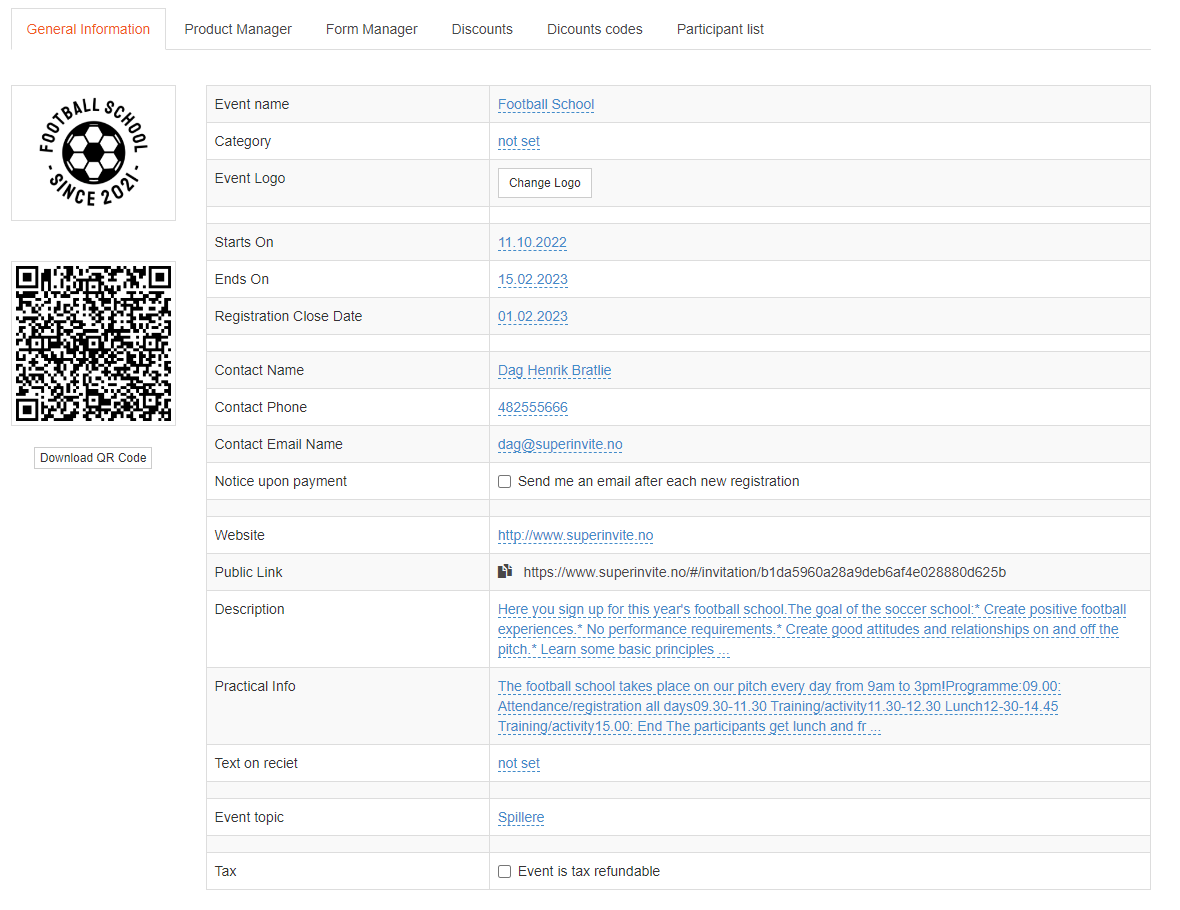
| Value | Description | | --- | --- | | Invitation name | Give the invitation a clear and distinct name that describes well what it concerns. Consider including the year, if it is a recurring invitation. | | Category | If you work with a lot of invitations, it can be a good idea to categorize them. For example Training fees, FFO (after-school football program), Football schools – or if a club runs several sports, you can categorize by Football, Handball, Basketball, Skiing, etc. This is not a required field and can be ignored. | | Website | If you have a website you want to link to, you can do so here. This is not a required field and can be ignored. | | Start date | Information to the member or those who are going to register, about when the period for the invitation starts. | | End date | Information to the member or those who are going to register, about when the period for the invitation ends. After the invitation has passed this date, it will automatically be placed under Archived invitations. | | Registration deadline | This is the final deadline for when someone can register or pay. You can move this forward in time later, if you find that you need to extend the deadline. Once this date has passed, the button that says "Continue to registration" on the front of the invitation will be deactivated. | | Maximum number of spots | If there is a maximum number for how many can register for the entire invitation, you enter it here. You can also set a maximum at the product level under the Options tab. | | Contact person name | Name of the contact person for the invitation. | | Contact person email | Email of the contact person for the invitation. | | Contact person phone | Phone number of the contact person for the invitation. | | Link to homepage | Add a link to your homepage where there might be a bit more information about the invitation. If you don't have a website, but maybe a social media page, add that instead. | | Open invitation link | This link is unique to this invitation and is used for registration by those who are going to sign up. Post the link on your homepage, in email, or on social media. | | Description | This is a text you enter to give a more detailed description of what the invitation concerns. If you want highlighting or other effects on the text you enter, you can select the relevant text and a black box with effects you can apply will appear. | | Practical information | This is a text you enter to give a more detailed description of practical information. It could be arrival time, or whether there is an open kiosk or catering if it is an event. If you want highlighting or other effects on the text you enter, you can select the relevant text and a black frame with effects you can apply will appear. | | Text at the bottom of the receipt | If you want to state something specific on the receipt, such as that the amount is tax-deductible for childcare, or other conditions. | | Invitation designation | Here you set whether the invitation concerns persons, players, members, or other categories. This is important for the designations shown to those who are going to register. | | FFO deduction | Some invitations give registrants a tax deduction for childcare. By checking this box, you can easily generate a report for use when reporting to the tax authorities. Remember to select which field represents "date of birth", so that we can apply an age limit. |